For IT & software consultants
Write client proposals and SOWs in minutes, not hours.
Paste a client email or fill in a brief. PropellaDocs generates structured, professional consulting documents, from proposals and SOWs to solution designs, post-mortems, QBRs and more.
Free plan available · No credit card required
Consulting Proposals · Statements of Work · Solution Designs · Kickoff Charters · Post-Mortems · QBRs · Business Cases · UAT Plans · and more
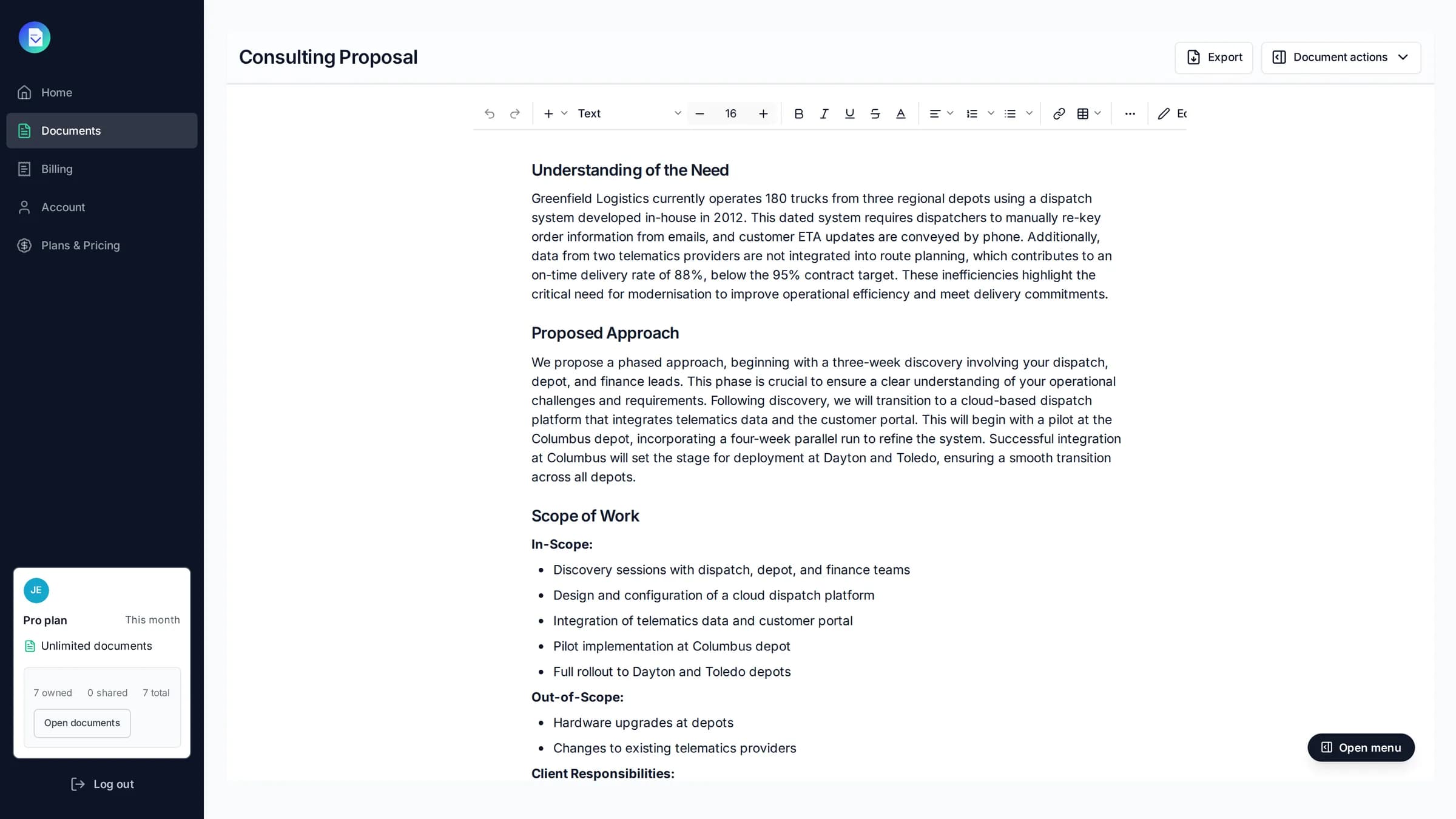
Proposals shouldn't take half a day.
You're billing hours, not writing docs
Every hour spent on a proposal is an hour you're not charging for.
Every draft starts from scratch
Or worse, from last month's version with the wrong client name still in it.
Speed wins the engagement
By the time your proposal is formatted, your competitor has already sent theirs.
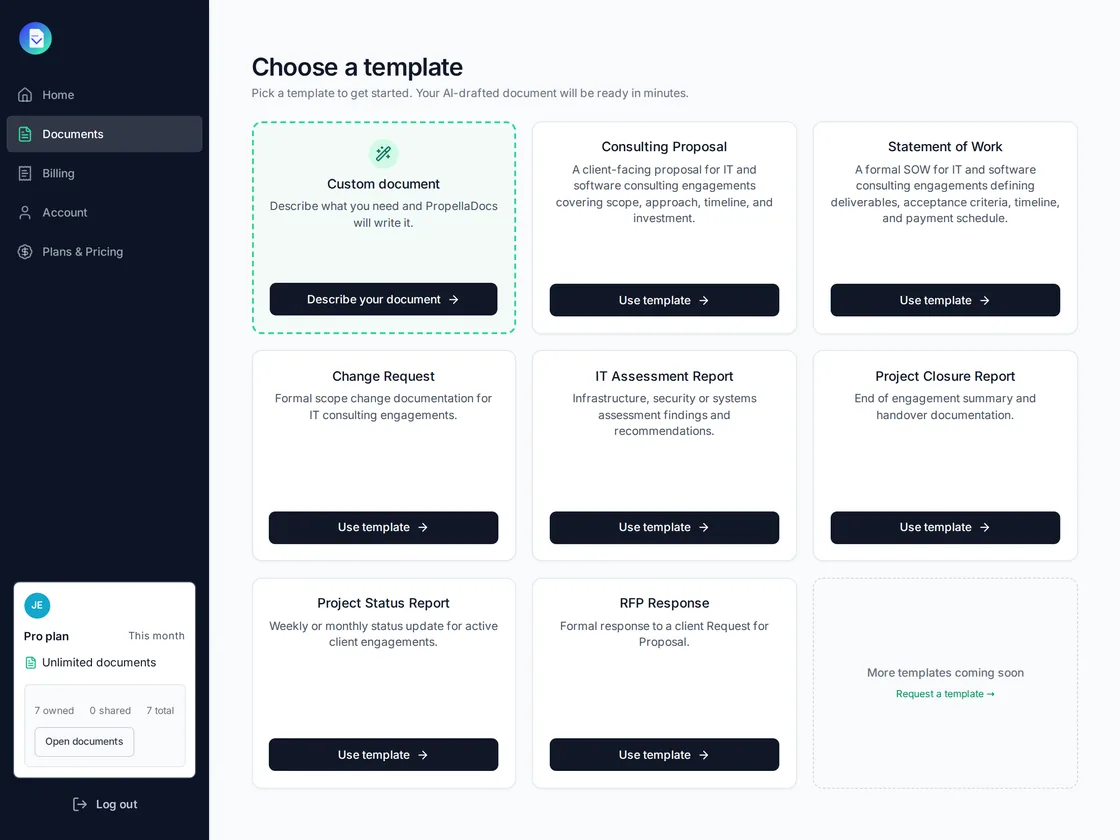
Templates
The right structure for every engagement.
PropellaDocs ships with templates built around how IT consulting engagements actually run, not generic business doc structures adapted after the fact.
- Consulting proposals with executive summaries, scope, and investment sections
- Statements of work with deliverables, acceptance criteria, and payment schedules
- More templates added regularly based on consultant feedback
AI drafting
AI drafts the structure. You own the detail.
Add your project context once. PropellaDocs uses it to write every section with the specificity of someone who actually read the brief, not a wall of generic output.
- Structured briefs ground every output in your project and client context
- Generate, review, and regenerate individual sections independently
- Inline editing with autosave, so you can refine at your own pace
- Section edits are always free on every plan
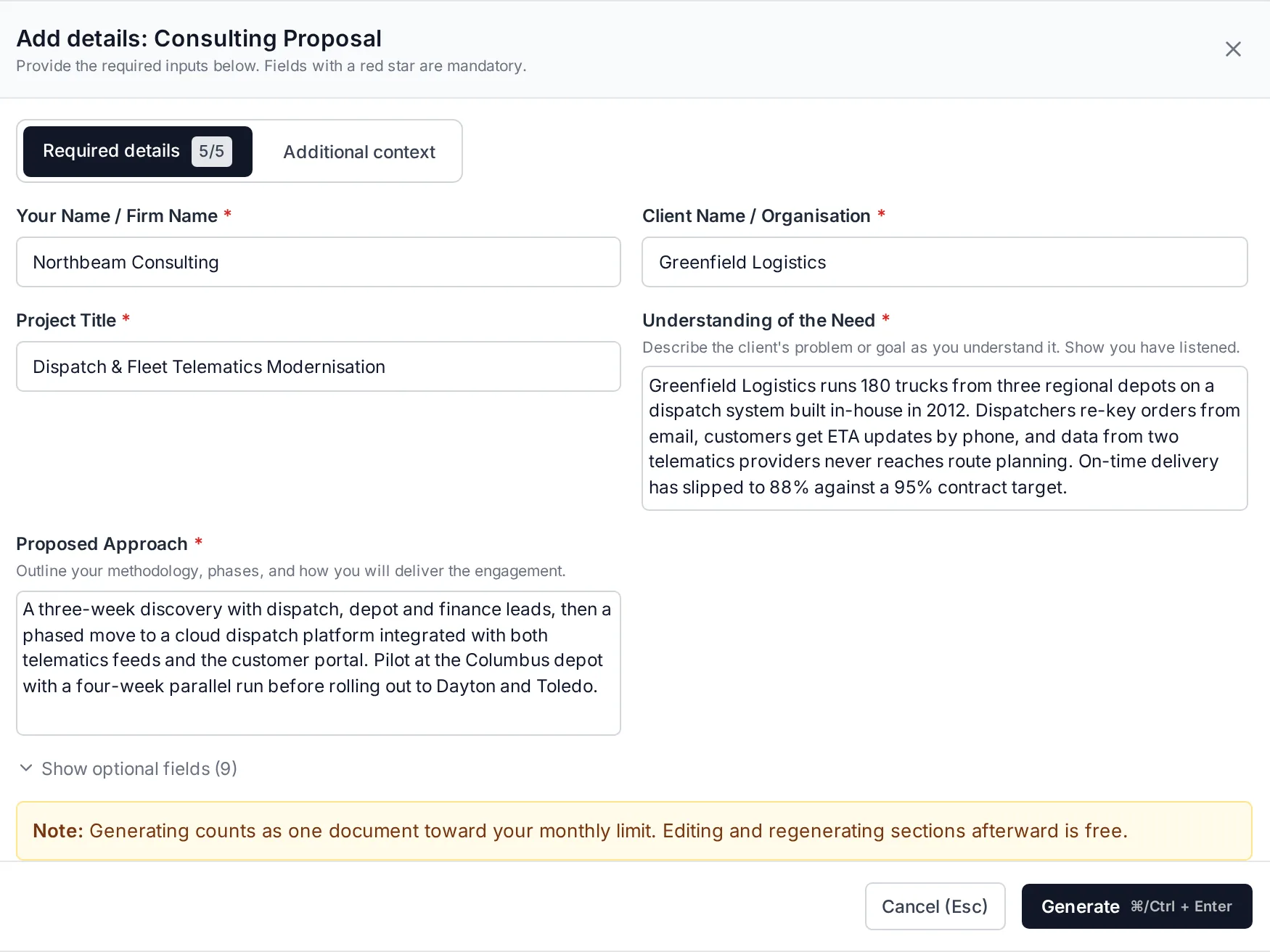
Export & deliver
From first draft to client-ready in one place.
Draft, review, and export without switching tools or losing context.
- PDF and DOCX exports ready to send or attach
- PDF exports that match your document exactly: no reformatting, no layout surprises
- Shareable links for client review, with no account required on their side
- Audit trail of every edit and export
- Your branding on every export (Pro plan)
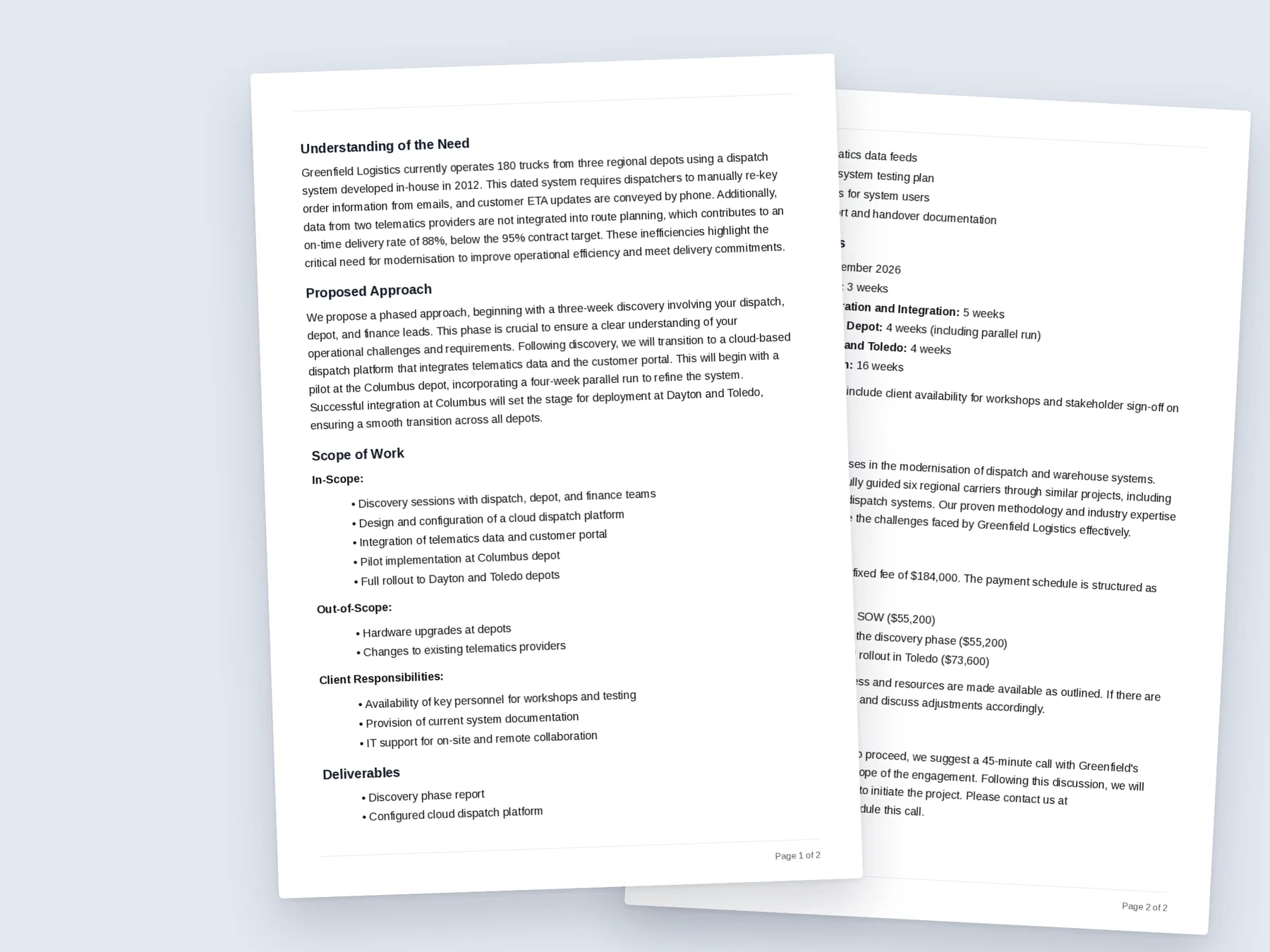
Paste any context
Turn messy notes into a structured brief.
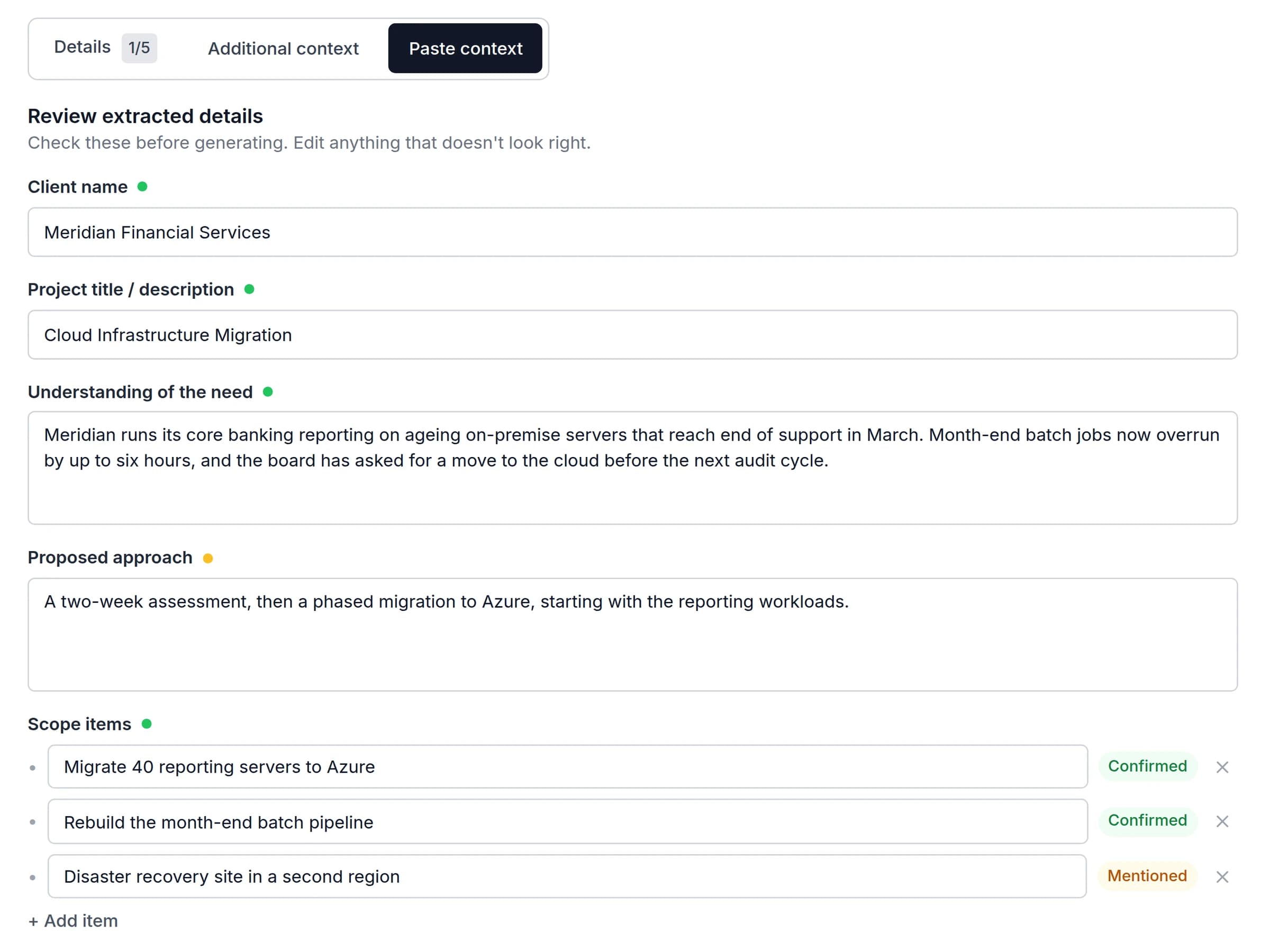
Paste a client email, meeting notes, or a call transcript. PropellaDocs reads it and fills your project brief automatically, so you spend your time reviewing, not retyping.
- Works with email threads, meeting notes, and call transcripts
- Extracts client name, scope, approach, timeline and fees automatically
- Review and edit everything before generating
- Available on all 14 templates and custom documents
From brief to delivered in four steps.
- 1
Pick your template
Choose from proposals, SOWs, and more, all structured for IT consulting engagements.
- 2
Complete your brief
Add project details directly, or paste a client email or meeting notes and PropellaDocs extracts the brief for you.
- 3
Generate and refine
Review the AI draft section by section. Regenerate anything that needs work and edit inline.
- 4
Export and deliver
Send professional PDF or DOCX exports with your branding, or share a link directly with clients.
Built for the way IT consultants actually win work.
Every template, field, and AI workflow in PropellaDocs is designed around consulting engagements, not adapted from generic document tools.
Purpose-built for IT consulting
Every template and workflow is designed around technology engagements, not repurposed from generic document tools.
Context stays with the document
Your brief sits alongside every document so the AI writes with the specificity of someone who actually read it.
The full engagement lifecycle
Drafting, review, and export all live inside PropellaDocs. No context switching, no lost history.
Documents clients take seriously
Clean structure, consistent formatting, and professional exports that reflect the standards enterprise and mid-market clients expect.
One proposal. Already paid for itself.
The average consultant spends 3–4 hours writing a proposal. At $19/month, PropellaDocs pays for itself on the first document.
Free
$0/mo
- 3 documents/month
- All templates
- PDF export only (watermarked)
- Email support via contact page
Pro
$49/mo
- Unlimited documents
- All templates
- PDF + DOCX (no watermark)
- Custom branding on exports
- Priority support
Section edits always free on every plan · 30-day money-back guarantee on paid plans · Cancel anytime
Common questions
Start closing engagements faster.
Create your first proposal or statement of work in minutes.
Start for free →Free plan available · No credit card required